Tourlog guide
Settings, archive and history
Account
Settings › Account holds your own details.
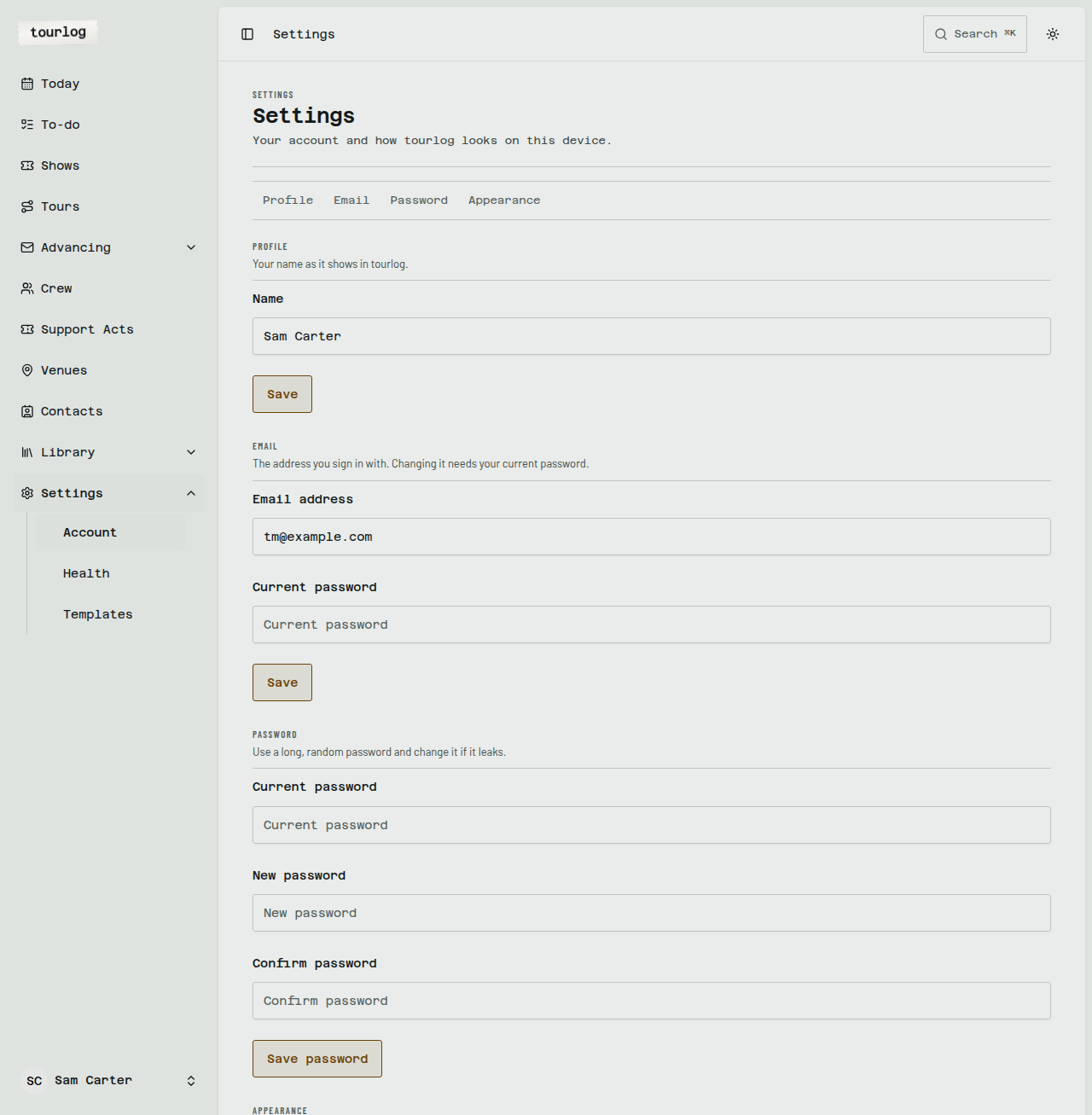
| Section | What you can do |
|---|---|
Profile |
Change your name |
Email |
Change the address you sign in with. Needs your current password. |
Password |
Enter Current password, New password and Confirm password. Use at least 12 characters. |
Appearance |
Choose Light, Dark or System |
Tip: Use a long, random password from a password manager.
Artist
Settings › Artist holds the artist this Tourlog is for.
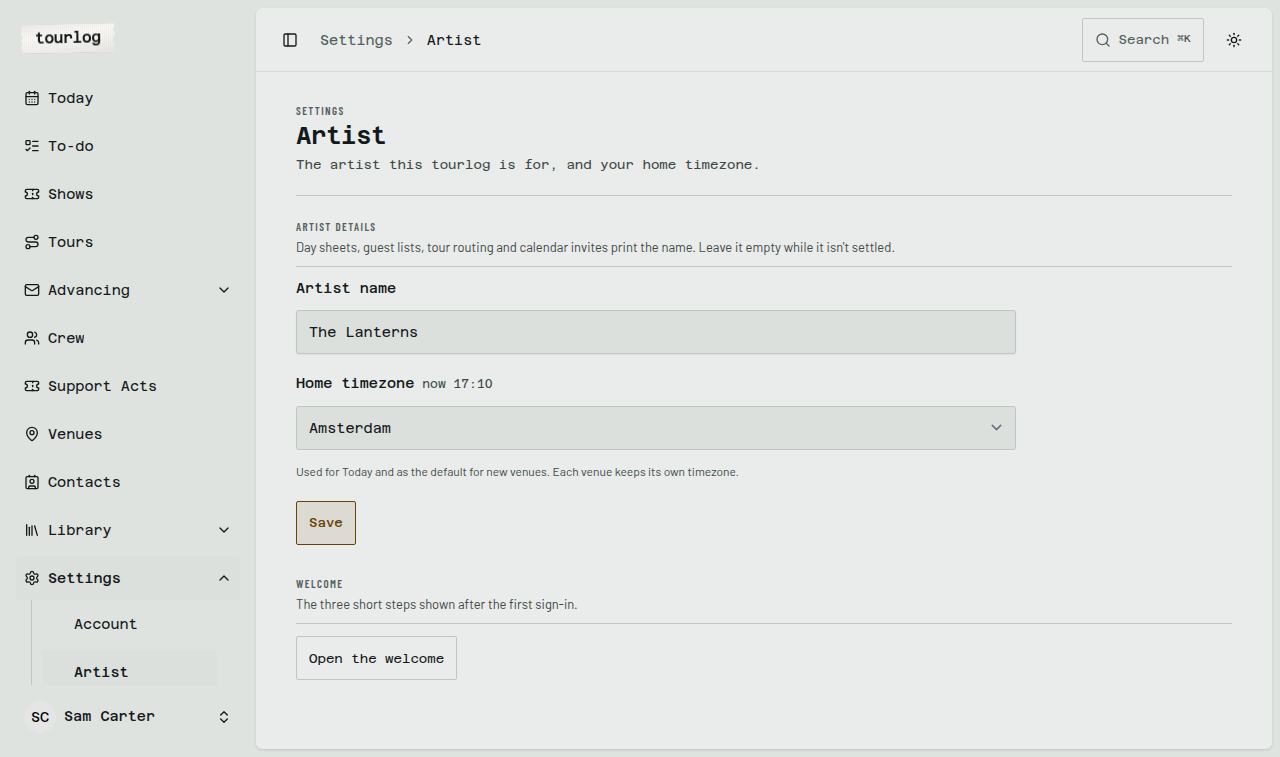
| Field | What it does |
|---|---|
Artist name |
Printed on day sheets, guest lists, tour routing and calendar invites, as "Artist — Event". Leave it empty while it isn't settled: those then show just the event. Crew pages never show it. |
Home timezone |
Your own timezone, with the current time there beside the label. Today and due dates follow it, and a new venue starts in it. Each venue keeps its own timezone, and a show's times are always in its venue's timezone. |
Tap Save. Open the welcome shows the three welcome steps again.
Templates
Settings › Templates controls what a new show starts with, per show type.
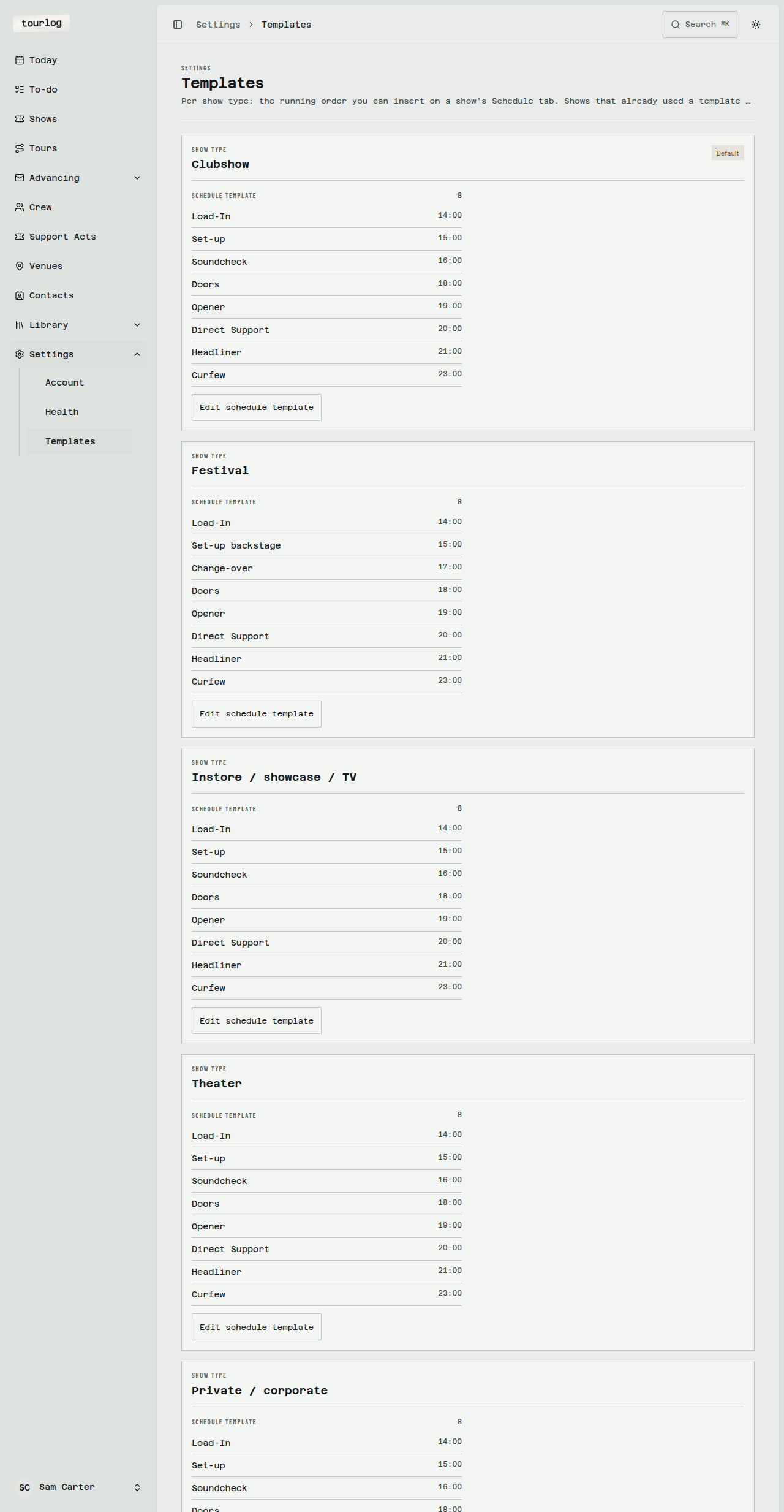
- Schedule template: the rows inserted by
Insert template running order(Activity,Day offset,
Time,Notes,Position). - Advancing questions: the questions Tourlog uses when it lists what is still missing (a question in
Dutch and in English, aSection, and whether it is critical).
Rows marked All show types apply everywhere. A show type that has its own rows uses those instead.
Edit a row, Archive it, or Restore it. A new show copies the template at the moment it starts, so
later edits don't change shows already created.
Health
Settings › Health is where you check that everything is working.
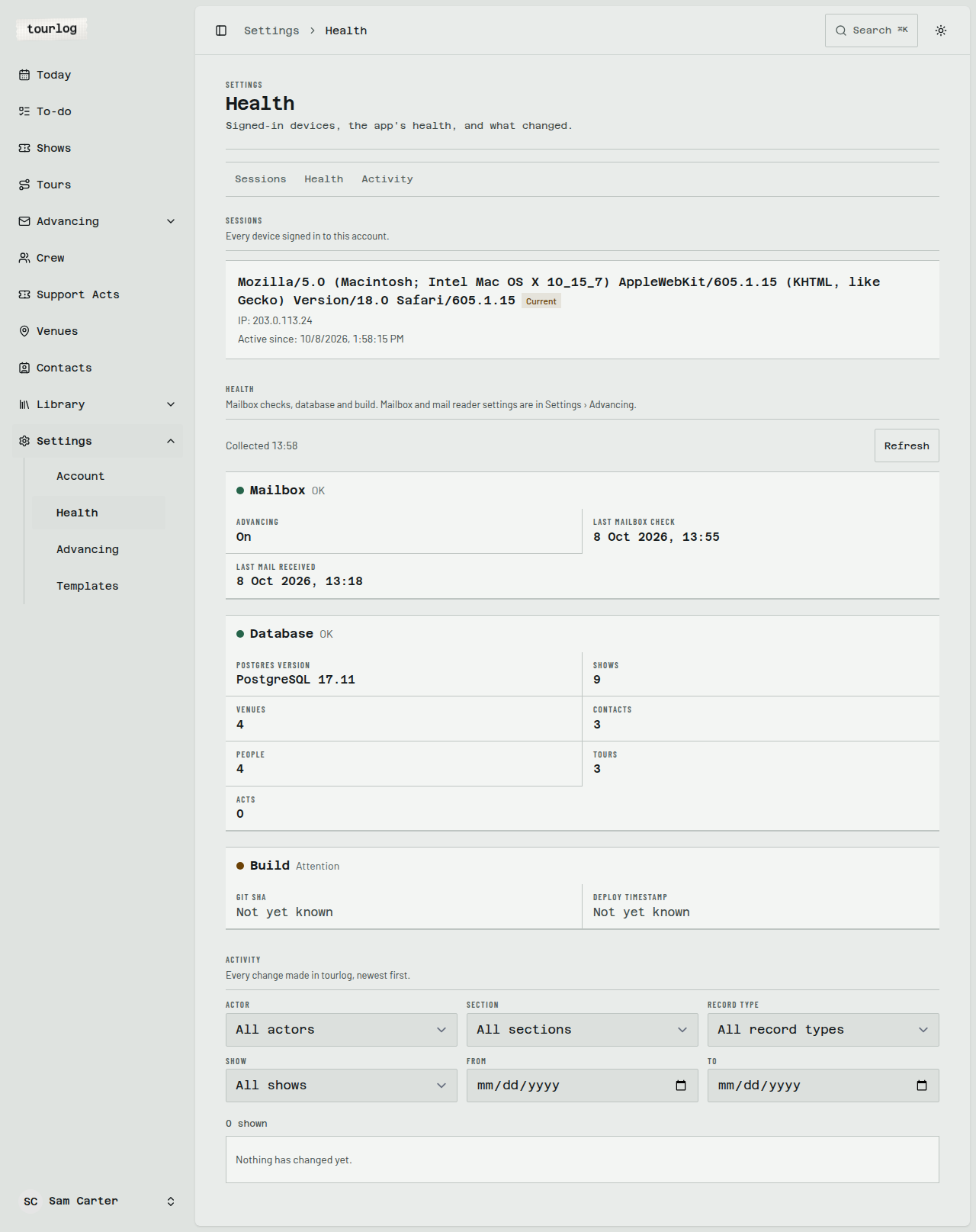
- Sessions: every device signed in to your account. The current one is tagged
Current. TapLog outon any other device. - Health: the mailbox (
Advancingon or off,Last mailbox check,Last mail received), the
database, and the build.Refreshre-checks. - Activity: every change made in Tourlog, newest first.
Advancing
Settings › Advancing holds the advancing mailbox (IMAP), the mail reader and its API key, and
Turn off advancing for anyone who advances by hand.
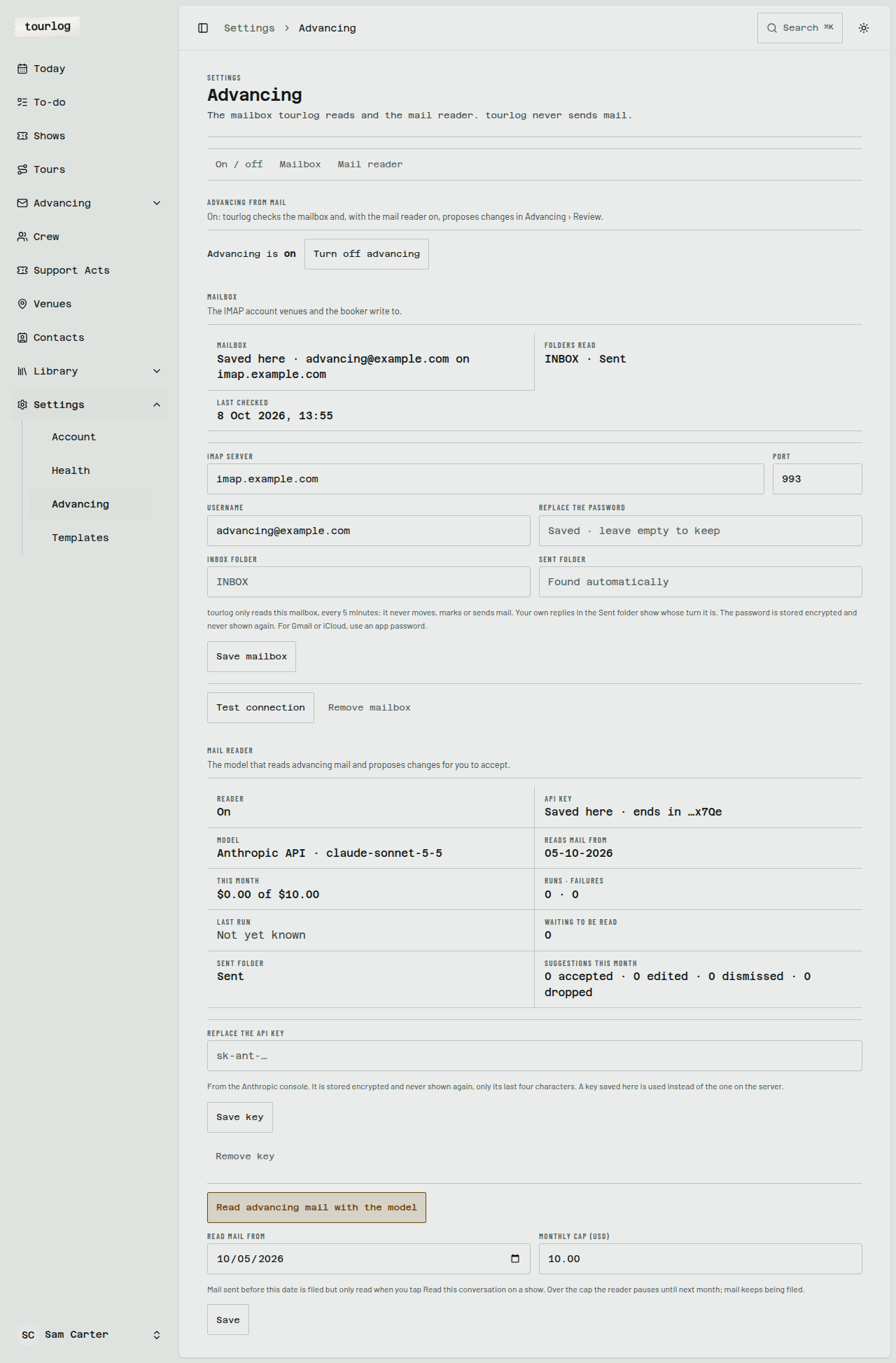
See
Setting up the mailbox and
Turning advancing off.
Activity
Filter by Actor, Section, Record type, Show, From and To. More loads as you scroll. Each
entry keeps the previous value, so you can see what something used to say.
The archive
Tourlog has no "delete". Delete means archive.
| Action | Where | Effect |
|---|---|---|
Archive |
Any record | Hides it from lists and pickers. Keeps its history and links. |
Restore |
The record's Archive view |
Brings it back |
Delete permanently |
The Archive view only |
Removes it for good, after an inline confirmation |
Permanent deletion is available for shows, venues, contacts, crew, support acts, tours and documents. It
is refused with a reason while something still needs the record (for example a venue that still has
shows).
Tip: Archive first. You can always come back to it.
Logging out
Open the menu at the bottom of the sidebar and choose Log out.